Introduction
Every year, Microsoft releases updates quietly—and most people realize them months later, after struggling with old workflows. In 2026, that gap is costing users serious time. If you are an office worker, blogger, freelancer, or Excel beginner, you may already be confused by sudden UI changes, new AI buttons, or features that behave differently than before.
That’s exactly why understanding office 365 new features 2026 is no longer optional. Microsoft has rolled out deep changes across Excel, Word, Outlook, and Teams—especially around AI, automation, and collaboration. Many users are overwhelmed, unsure what actually matters, and afraid of “breaking” their files.
In this guide, I’ll walk you through the office 365 new features 2026 in simple language. You’ll learn what changed, why it matters, and how to use these updates practically—without technical stress or hype.
Why Most People Struggle With Office 365 Updates
Most users don’t struggle because they’re bad at technology. They struggle because Microsoft updates how things work without clearly explaining why.
Here are the real problems people face with office 365 new features 2026:
- Features roll out automatically without training
- AI tools appear but are not explained clearly
- Excel formulas behave differently than before
- Collaboration tools change permissions and sharing logic
- Users ignore updates until something breaks
Many office workers still use Excel like it’s 2018. They miss new AI tools, smarter formulas, and collaboration features that could save hours every week.
The result?More manual work.More confusion.Lower productivity.
What You Need Before Starting
Before exploring office 365 new features 2026, make sure you have the basics ready.
Required Tools
- A Microsoft 365 subscription (Personal, Business, or Enterprise)
- Latest version of Excel (Desktop or Web)
- Internet connection (for AI features)
Accounts
- Active Microsoft account
- Copilot access (included in most business plans in 2026)
Skills
- Basic Excel knowledge (cells, formulas, tables)
- Willingness to explore new features gradually
You do not need coding skills or advanced Excel experience.
Step-by-Step Guide to Office 365 New Features 2026
Let’s break down the office 365 new features 2026 step by step—focusing on what actually helps in daily work.
Step 1: Excel AI Gets Smarter in 2026
One of the biggest microsoft 2026 excel updates is how deeply AI is integrated.
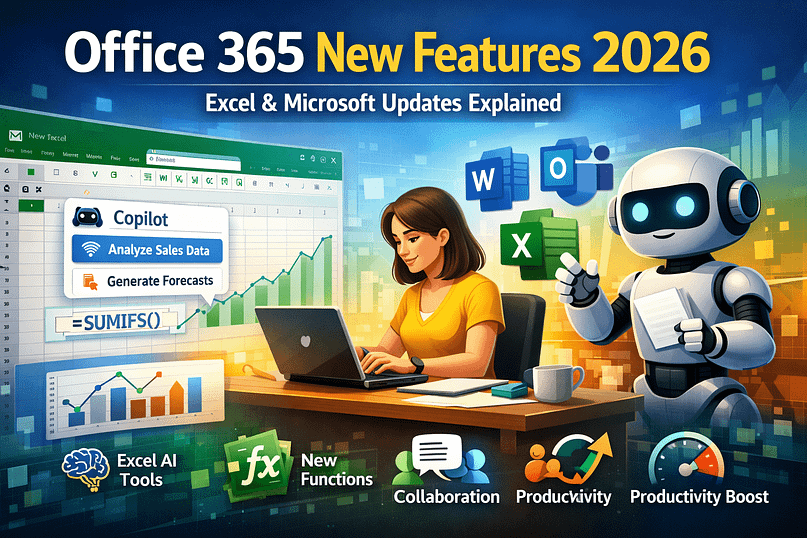
With Microsoft Copilot for Excel, you can now:
- Ask questions in plain English
- Generate formulas automatically
- Clean messy data with one command
- Create charts from raw data instantly
Example prompts:
- “Summarize this sales data by month”
- “Find errors in this sheet”
- “Create a forecast for next quarter”
These excel ai features 2026 reduce manual formula writing and cut analysis time drastically.
Tip: Always review AI-generated formulas before sharing files.
Step 2: New Excel Functions Introduced in 2026
Another major part of microsoft 2026 excel updates is smarter formulas.
New Excel functions in 2026 include:
- Improved dynamic array functions
- AI-assisted LOOKUP alternatives
- Better text extraction functions
- Smarter error-handling formulas
Excel now suggests formulas as you type, based on your data pattern.
This change alone makes office 365 enhancements 2026 extremely valuable for beginners.
Step 3: Microsoft 365 Collaboration Features 2026
Collaboration received serious upgrades in microsoft 365 latest updates 2026.
You can now:
- Comment directly on Excel cells with context
- Assign tasks inside Excel files
- Track changes visually (not just text-based)
- Use real-time AI summaries for shared files
These office 365 collaboration features 2026 are designed for remote teams and freelancers working with clients.
Warning: Old shared links may behave differently—always review permissions.
Step 4: AI Across Word, Outlook, and Teams
The microsoft 365 ai and productivity tools expansion goes beyond Excel.
Across Office 365, you’ll now find:
- AI email summaries in Outlook
- Smart document drafting in Word
- Meeting notes and action items in Teams
This makes office 365 changes 2026 more about workflow automation than just apps.
Step 5: Performance and Interface Improvements
Microsoft focused heavily on speed and usability in office 365 new features 2026.
Key improvements:
- Faster Excel load times
- Cleaner ribbon interface
- Reduced crashes on large files
- Better performance on low-end laptops
This matters a lot for office workers handling large Excel files daily.
Real-Life Office Example
Imagine an accounts executive handling monthly expense reports.
Before 2026 Updates
- Manual formulas
- Copy-paste errors
- Hours spent fixing totals
- Email chains for approvals
After Office 365 New Features 2026
- Copilot generates formulas automatically
- AI flags incorrect entries
- Excel comments assign tasks to managers
- One-click summary reports
This saves 3–5 hours per week, reduces mistakes, and improves confidence at work.
That’s the real power of microsoft 365 latest updates 2026.
Common Mistakes and How to Fix Them
Many users misuse office 365 new features 2026 without realizing it.
Mistake 1: Ignoring Copilot
Fix: Start with simple questions instead of complex commands.
Mistake 2: Trusting AI blindly
Fix: Always validate formulas and summaries.
Mistake 3: Not updating Excel
Fix: Enable automatic updates in Microsoft 365 settings.
Mistake 4: Poor sharing permissions
Fix: Review access settings before sharing files.
Mistake 5: Sticking to old workflows
Fix: Learn one new feature every week.
FAQs – Office 365 New Features 2026
What are the biggest office 365 new features 2026?
AI-powered Excel, Copilot integration, better collaboration, and performance upgrades.
Do Excel AI features 2026 work offline?
No. Most AI features require an internet connection.
Is Microsoft Copilot for Excel free?
It’s included in most Microsoft 365 business plans in 2026.
Are old Excel files compatible with new updates?
Yes, but some formulas may behave slightly differently.
Should beginners use AI features?
Yes. AI makes Excel easier for beginners, not harder.
Conclusion
The office 365 new features 2026 are not just cosmetic updates—they change how work gets done. Excel is smarter. Collaboration is smoother. AI finally feels practical instead of confusing.
If you’re still working the old way, you’re spending extra time for no reason.
Start small:
- Use Copilot once a day
- Try one new Excel function
- Explore collaboration tools gradually
At WebPlayX.com, we break down complex automation and productivity tools into simple, real-world guides.If this helped you, explore our related tutorials on Excel automation, Power Automate, and smart office workflows.