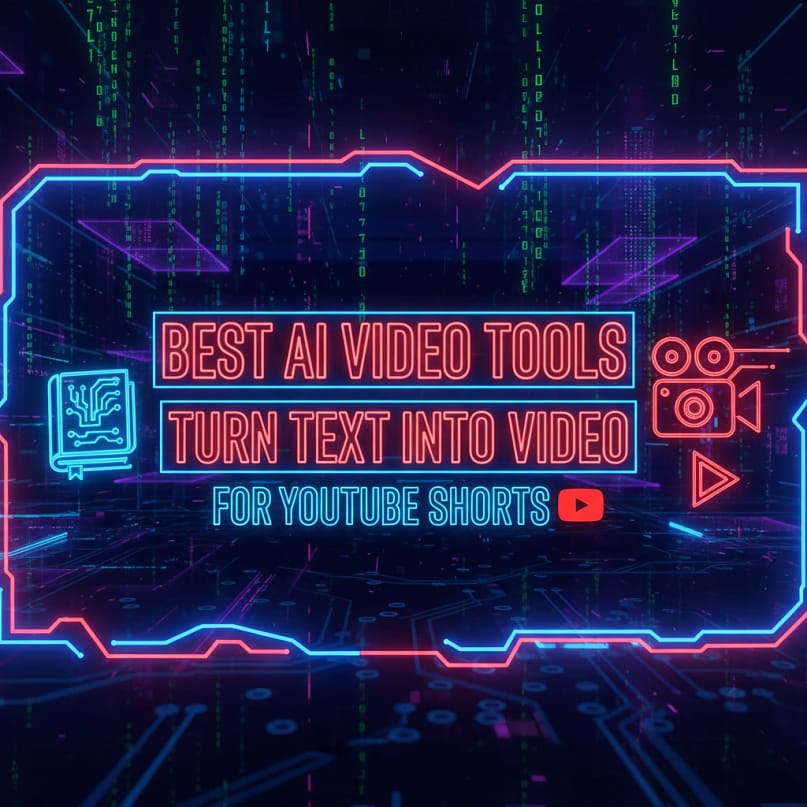
The Only Guide You Need to Turn Articles into Viral Videos — Fast.
If you’ve ever stared at your old blog posts and thought:“I wish I could turn this into YouTube Shorts automatically…”
— congratulations, because 2025 is the golden era of AI video generators.
Whether you’re a beginner creator, a blogger, or a business that wants fast content output, the rise of free AI video generators, AI video makers, and text-to-video AI tools has changed everything. You can now convert any blog post into a full AI-generated video, complete with voiceover, captions, animations, and even B-roll — all in minutes.
And the best part?Many of these AI video generators are free or offer powerful free plans.
In this guide, I’ll show you the top AI video tools you can use RIGHT NOW to convert any article into viral YouTube Shorts, Instagram Reels, TikToks, Pinterest videos, or Facebook content.
Let’s begin with a hook:
What If a Single Blog Post Could Create 50 Short Videos?
Imagine this →You take a 1000-word blog post from your website.You paste the text into a text-to-video AI generator.In seconds, it gives you:
- shorts in vertical 9:16
- B-roll + captions + transitions
- An AI voiceover
- Auto editing
- A downloadable AI-generated video free without watermark
This is not a dream — this is exactly what AI video generators now do.
Let’s explore the top tools.
1. InVideo AI — The Most Powerful AI Video Generator (2025)
If you want the best AI video generator for converting your blog posts into short-form vertical videos, InVideo AI is unmatched.
Why It’s the Best (Live Example)
You simply paste your blog article:➡ “10 Benefits of Automation in 2025”Click CreateAnd InVideo AI automatically:
- Writes a Shorts-style script
- Matches scenes with stock videos
- Adds captions
- Auto-syncs the AI voice
- Generates ai generated videos in minutes
Key Features
- AI text-to-video generator free trial
- 50+ AI voices
- Auto B-roll
- 9:16 vertical Shorts template
- Auto-subtitle generator
- Built-in editor that works like a pro ai video editor
Why Bloggers Love It
It feels like hiring a full-time AI video creator who works 100x faster.
Also Read:
Create Dynamic Thumbnails Automatically for Your Videos & GIFs using PAD + Photoshop/After Effects
2. CapCut AI — Best Free AI Video Generator for Mobile
For people who create videos on mobile, CapCut’s free AI video generator is a blessing.
Why It Works
CapCut lets you import your blog text → It then uses ai video generation to create clips with:✔ Animated templates
- Auto captions
- Stock footage
- AI voices
- Beat sync
- Fast vertical output
Live Example
Paste:“Top 5 ways to save time using automation.”
CapCut instantly creates a video ai generator free output with trendy TikTok-style templates.
3. Pika Labs — Next-Level AI Video Generation (Movie-Quality)
If you want cinematic AI generated videos, Pika Labs is the best. It allows:
- video to video ai
- ai video generator from images
- turning static blog images into motion videos
For Shorts, you can add lines from your blog like:“Automation is transforming industries…”Pika creates a moving cinematic shot.
This is great for storytelling Shorts, explainer videos, or emotional hooks.
4. VEED.io — Best AI Video Creator for Beginners
VEED is a simple ai video creator free tool that turns text into videos effortlessly.
Features
- Drag and drop editor
- Text-to-speech
- Templates for YouTube Shorts
- Auto-subtitles
- ai video editing tools for beginners
Live Example
Paste your blog paragraph → choose a voice → generate a Short.
VEED also has free ai text to video generator support.
5. Lumen5 — Best for Long Blogs to Short Videos
Lumen5 is the ultimate text to video AI generator free tool for bloggers.
It converts entire blogs into:
- Animated shorts
- Explainer style vertical videos
- AI-generated video from text
- Social media videos with captions
Live Example
Create YouTube Shorts from:“10 Best Budgeting Tips for Beginners.”Lumen5 automatically summarizes the text and creates scenes.
6. HeyGen — Best AI Avatar for YouTube Shorts
If you want an AI person to read your blog content, HeyGen is the best.
Why It Stands Out
- Realistic avatars
- Lip-sync
- 4K quality
- Script to video
- ai movie generator features
- Perfect for faceless YouTube channels
Paste your blog → choose avatar → generate.
This is great for motivational Shorts, educational Shorts, or talking-head videos.
7. Synthesia — Best for Corporate & Training Videos
If your blog is about:
- Software tutorials
- Business automation
- Power Automate workflows
- Excel tricks
Synthesia turns your article into a training-style AI video using avatars.
A great ai training video generator option.
8. Runway ML — Best AI Video Editor for Effects
Runway is ideal for creators using:
- ai video editing tools
- video creation tools
- video to video ai effects
- Motion tracking
- Gen-2 AI models
Perfect if your blog posts involve:
- Tech
- Digital art
- Tutorials
- Explainer Shorts
It produces smooth and stylish ai generated videos.
9. Wondershare Filmora AI — Best AI Video Editor for Desktop
Filmora offers an excellent ai video editing app with:
- Script to video
- Auto captions
- Storyboard AI
- Face replacement
- AI voiceovers
Great for transforming long blog posts into short clips.
10. Fliki AI — Best Text-to-Video AI for Voiceovers
Fliki is a powerful ai text to video generator famous for:
- Realistic voices
- Auto caption
- Script-based Shorts
- free ai video maker plans
Paste blog → select voice → generate → upload.
Great for YouTube Shorts in finance, motivation, facts, AI tools, etc.
How to Choose the Best AI Video Generator
If You Want the Easiest Tool → Use:
➡ CapCut AI (free, mobile)
If You Want Pro-Level Video → Use:
➡ InVideo AI or Runway ML
If You Want AI Avatars → Use:
➡ HeyGen or Synthesia
If You Want Free Text-to-Video → Use:
➡ Lumen5 or Fliki
If You Want Cinematic Videos → Use:
➡ Pika Labs
How To Turn a Blog Post Into a YouTube Short
Let’s take your blog post:
“Top 5 Power Automate Tricks”
Use this workflow:
Step 1 — Paste Your Text into an AI Video Generator
Use InVideo AI, CapCut, or Fliki.
Step 2 — Choose Video Style
Select:✔ 9:16 vertical✔ Fast-paced transitions✔ AI voiceover✔ Auto captions
Step 3 — Add Keywords & Hooks
Your first line should be a hook:“Here are 5 Power Automate tricks you didn’t know!”
Step 4 — Add B-Roll
AI will auto-select this for you in most tools.
Step 5 — Export
Download your ai generated videos free and post on YouTube Shorts.
That’s it — your blog is officially a video.
Final Thoughts:
AI Video Generators Are the Future of Content Creation
If you’re a blogger, affiliate marketer, YouTuber, or business owner, using these AI video generators is no longer optional — it’s a shortcut to growth.
With tools like:
- InVideo AI
- CapCut
- Fliki
- Pika Labs
- HeyGen
You can create ai videos, repurpose older blogs, and produce 50+ Shorts a day.
This is the fastest way to grow on YouTube Shorts, TikTok, Instagram Reels, and Pinterest in 2025.
People Also Ask
What are the best AI video tools to convert blog posts into YouTube Shorts?
The best AI video tools for turning blog posts into Shorts include Pictory, InVideo AI, Kapwing, Vidyo.ai, and Descript. These free AI tools use workflow automation to extract your content, select key moments, and build short videos automatically.
Can AI automate converting long articles into short videos?
Yes. Modern AI automation tools can summarize blog posts, select highlights, add captions, and generate YouTube Shorts automatically. This is ideal for bloggers who want ai productivity tools to scale content quickly.
Which AI tools are best for beginners creating Shorts?
Beginners can use no-code automation tools like Kapwing AI, Canva AI Video, and Pictory. These platforms require no editing experience and use ai workflow automation to build videos from text.
How does AI choose which part of a blog becomes a YouTube Short?
AI uses gen AI models to detect key moments, emotional hooks, and trending topics. Many ai platforms analyze sentences, headings, and keywords from your blog to create short, engaging scenes.
Are there free AI tools to convert blog content into YouTube Shorts?
Yes. Tools like Vidyo.ai, ClipMaker, and Canva offer free ai tools for content creators. They provide templates, automatic subtitles, and ai powered tools for fast video creation.
Can AI create voiceovers and subtitles automatically?
Absolutely. Most ai tools for business and creators offer automatic voiceovers, subtitle generation, and multilingual text-to-speech. These features improve workflow efficiency and save hours of editing.
How can bloggers automate YouTube Shorts creation using AI?
Bloggers can use ai workflow automation tools that scrape articles, generate scenes, add captions, and export vertical videos. This reduces production time and acts like a fully automated content automation system.
What is the best AI tool for high-quality vertical videos in 2025?
Pictory AI and InVideo AI are among the top AI tools for 2025. They offer ai for business automation, smart templates, stock footage, and one-click YouTube export options.
Can I use AI to repurpose old blog posts into multiple videos?
Yes. With ai workflow automation, you can convert one blog post into several video formats—Shorts, reels, TikTok clips, and long videos—using automated scene selection.
How do AI tools help increase YouTube visibility?
AI analyzes keywords, hooks, and trends to craft more engaging videos. Using ai tools to boost productivity, these platforms optimize captions, timing, and visuals that help Shorts perform better in YouTube’s algorithm.