-
Power Automate Desktop Excel Automation Without VBA: Step-by-Step Guide for Beginners
Introduction Excel is powerful, but repetitive Excel work is exhausting. Office workers, bloggers, and freelancers spend hours copying data, formatting sheets, updating reports, and saving files manually. Most people believe Excel automation means learning complex VBA macros, which feels risky and time-consuming. This is where power automate desktop excel automation without vba becomes a game […]
-
Stop Doing This Manually! Automate Tasks Using Power Automate Desktop in 2026
Introduction Every day, office workers, bloggers, and freelancers waste hours doing the same boring tasks again and again. Copy-pasting data, downloading email attachments, renaming files, filling forms, opening websites, generating PDFs — all done manually. The truth is, most of this work should not be manual in 2026. With the right setup, you can automate […]
-
Run Power Automate Desktop Flow Automatically 2026 (Beginner Guide)
Introduction When I first started using Power Automate Desktop, I was excited. I built my first flow, clicked Run, watched it work perfectly… and then realized something annoying. The next day, I had to click Run again. And the next day too. That’s when the real question hit me: What’s the point of automation if […]
-
How I Reduced My Daily Office Work by 40% Using Simple PAD Flows (Real Examples)
(A Complete Beginner-Friendly Guide With Real Office Automations) If you’ve ever looked at your to-do list and thought, “There’s no way I can finish all this today…” — you’re not alone. For years, I felt the same. My job involved Excel files, Outlook emails, monthly reports, copy-paste work, data entry, downloading attachments, file renaming, and […]
-
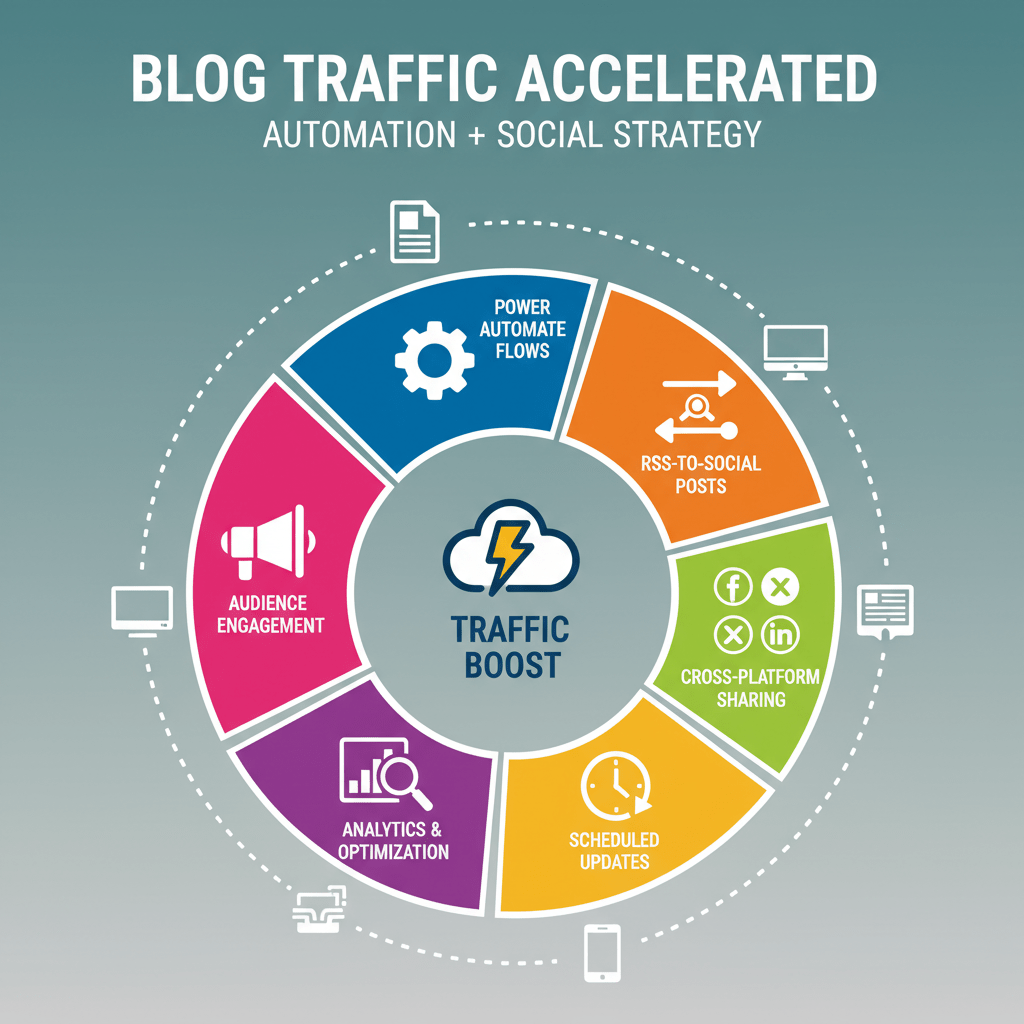
Boost Blog Traffic Fast 2026: Power Automate + Social Media Posting Automation
If you’re tired of posting manually on 6–10 social media platforms, spending hours creating social media content, and still getting low traffic, this blog is for you. Because today, I’ll show you exactly how to use Power Automate + social media posting automation to explode your traffic fast, even if you don’t have followers, budget, […]
-
Build a No-Code Business with Power Automate + AI Builder (2026)
If you’ve ever wished you could build a full business without coding, automate repetitive work, and use AI like a pro—you’re about to discover the perfect combination: Power Automate + AI Builder.In 2025, this duo is transforming how solopreneurs, freelancers, and small businesses automate daily tasks, reduce workload, and scale without hiring developers. Today, you’ll […]
-
Top 10 Free AI Tools for Workflow Automation
Here are the top free AI tools that help automate workflows effortlessly — with live examples. 1. Zapier – Best AI Workflow Automation Tool (Free Plan) Zapier is one of the most popular AI automation tools for connecting apps without coding. It powers millions of tasks across businesses and freelancers. What It Does Live Example […]
-
Automate YouTube Workflow Using Power Automate (2025)
Have you ever wished you could automate your YouTube uploads, schedule posts, or track analytics — all without lifting a finger?Good news: with Microsoft Power Automate, you can create a YouTube automation workflow that runs your channel like a smart assistant. In this step-by-step guide, you’ll learn how to build YouTube automation using Power Automate […]
-
Automate Excel Reports Easily with Power Automate Desktop
Introduction: Stop Wasting Hours on Excel Reports! Are you tired of spending endless hours every week preparing Excel reports? Whether it’s sales data, project updates, or finance summaries — manually creating reports is both boring and time-consuming.What if you could automate Excel reports entirely — without writing a single line of code? Welcome to Microsoft […]
-
How to Connect ChatGPT with Power Automate (2025)
“Imagine your workflows not just automated… but intelligent.” That’s exactly what happens when you connect ChatGPT with Power Automate.In 2025, businesses and creators are moving beyond basic automation — they’re building AI-powered workflows that think, respond, and adapt automatically. If you’ve ever wanted your emails to write themselves, your Excel data to summarize automatically, or […]
-
10 Power Automate Desktop Projects for Beginners (2025)
Do you ever wish your PC could handle boring tasks while you relax or focus on creative work?Well, that’s exactly what Microsoft Power Automate Desktop (PAD) was built for! Whether you’re a beginner exploring automation or a tech enthusiast building workflow systems, Power Automate Desktop makes it surprisingly easy to automate anything—from Excel tasks to […]
-
Create Dynamic Thumbnails Automatically for Your Videos & GIFs using PAD + Photoshop/After Effects
Have you ever spent hours designing thumbnails for your YouTube videos or GIFs — tweaking fonts, adding glow effects, and exporting them one by one?What if I told you that you could auto-generate professional thumbnails while you sleep — powered by Power Automate Desktop (PAD) and Adobe Photoshop/After Effects? Welcome to the world of dynamic […]
-
Monitor Website Comments with Power Automate Desktop (2026)
Build a Desktop Flow to Monitor Website Comments & Auto-Archive to Excel In today’s world of automation, manually checking website comments is outdated.What if your PC could automatically monitor user feedback, extract comments from websites, and archive them into Excel for analysis — without you lifting a finger? That’s exactly what we’ll do using Microsoft […]
-
Automate Excel Dashboard with Power Automate Desktop Flow
Do you still spend hours every month updating Excel dashboards, collecting website data, and emailing reports manually? You’re not alone — but there’s a smarter way! With Power Automate Desktop Flow, you can automate everything — from extracting website data to Excel, updating visuals, and sending it via Gmail or Outlook, completely hands-free. This guide […]
-
10 Real-Life Examples of Power Automate Flows You Can Build in 2025
Introduction: How a Simple Flow Saved My Morning A few months ago, I had one of those “never-ending mornings.”My inbox was overflowing, my Excel sheet had dozens of pending updates, and I still had to send the weekly performance report before my manager arrived. Instead of panicking, I opened Microsoft Power Automate, built a simple […]
-
How to Automate WhatsApp Messages with Power Automate (2025 Guide)
In 2025, communication speed defines business success. Whether you run an e-commerce store, a service-based company, or simply want to streamline personal tasks, automating WhatsApp messages can save countless hours while improving customer engagement. WhatsApp, with over 2.5 billion active users, is the most widely used messaging app globally. Businesses rely on it for customer […]
-
10 Real-Life Tasks You Can Automate with Power Automate in 2025
In 2025, the demand for smarter, faster, and more efficient workflows is higher than ever. Whether you’re a solopreneur managing client emails or a business analyst overseeing a team, the ability to automate repetitive tasks is no longer a luxury—it’s a necessity. Enter Power Automate, Microsoft’s flagship solution in workflow automation tools, designed to streamline […]
-
How to Send Automatic Emails with Power Automate (Step-by-Step Tutorial)
Meta Description: Learn how to send automatic emails using Power Automate with this easy, beginner-friendly tutorial. Perfect for automating Outlook or Gmail messages. Introduction If you’re tired of sending the same emails repeatedly, there’s a smarter way to handle it: automate your emails using Power Automate. Whether you’re reminding team members, responding to form submissions, […]
-
Power Automate Desktop Tutorial for Beginners (2026)
Introduction If you searched for a power automate desktop tutorial, chances are you are trying to understand how to automate repetitive computer tasks without learning coding or complex software. Many beginners feel confused when they first open Power Automate Desktop because most tutorials feel technical or rushed. This power automate desktop tutorial for beginners is […]