Introduction
Many beginners, office workers, and bloggers want to automate replies, handle customer questions, or add smart chat support—but they assume it’s expensive or highly technical. The good news is that creating a free ai chatbot is now easier than ever, even if you have no coding background.
The biggest confusion people face is choosing the right tool and understanding how everything actually works behind the scenes. You may be wondering: can I create a chatbot for free, or which free ai platform is best for chatbot projects? These are valid questions.
In this guide, I’ll walk you through the exact process to build a free ai chatbot from scratch using free tools. You’ll learn how chatbots work, how to customize them for your needs, and how to launch one confidently—without writing a single line of code.
By the end, you’ll know exactly how to build a chatbot for free and actually use it in real work.
Why Most People Struggle With Creating a Chatbot
Most people don’t fail because chatbot creation is hard. They fail because they start the wrong way.
Here are the most common reasons:
- They think chatbot development without coding is impossible
- They jump into advanced platforms too early
- They don’t understand how does an ai chatbot work
- They try to build everything at once instead of starting small
- They choose paid tools when free options are enough
Another big issue is confusion between a normal chatbot and what is a custom chatbot. A custom chatbot is designed for your specific use case—not a generic auto-reply bot.
Once you understand the basics and follow a structured approach, building a free ai chatbot becomes surprisingly simple.
What You Need Before Starting
Before we begin, let’s keep things realistic and beginner-friendly. You don’t need expensive tools or technical skills.
Basic Requirements
- A Google account or email address
- Internet connection
- 30–60 minutes of focused time
Skills Required
- Basic English writing
- Logical thinking (like writing FAQ answers)
- No programming knowledge
Tools We’ll Use
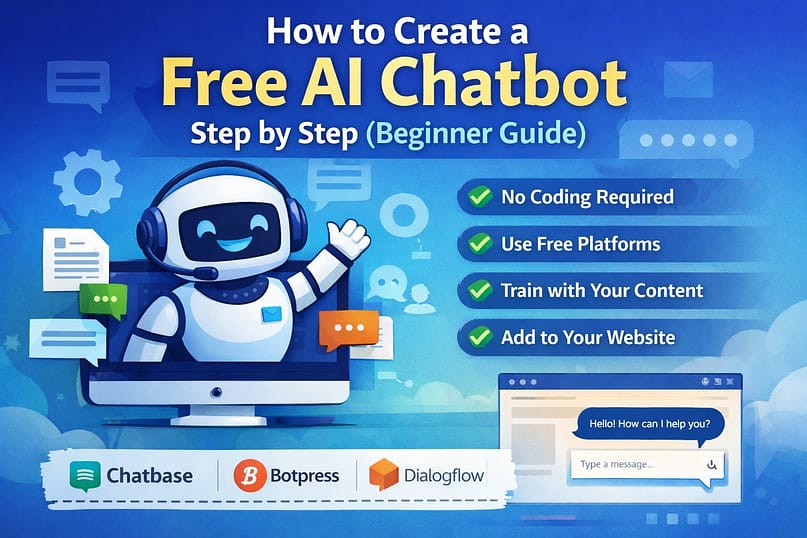
You can build a free ai chatbot using these beginner-friendly platforms:
- Chatbase – Train chatbot with your content
- Botpress – Visual chatbot builder
- Dialogflow – Google’s free chatbot tool
All of these qualify as free chatbot builder ai platforms for beginners.
Step-by-Step Guide to Solve the Problem
Let’s now build a free ai chatbot step by step. Follow the order carefully.
Step 1: Define the Purpose of Your Chatbot
Before using any tool, answer this clearly:
- What should the chatbot do?
- Who will use it?
Examples:
- Website visitor support chatbot
- Office FAQ chatbot
- Blog content helper chatbot
This step defines what is a custom chatbot for your use case.
Step 2: Choose a Free AI Chatbot Platform
If you are a complete beginner, start with Chatbase.
Why?
- No coding required
- Works with documents, URLs, and text
- Easy customization
If you want more control later, you can move to Botpress or Dialogflow.
This answers the question: which free ai platform is best for chatbot beginners?
Start simple. Upgrade later.
Step 3: Add Your Knowledge Source
This is where your chatbot learns.
You can upload:
- Website URL
- PDF files
- FAQ text
- Blog articles
Example:If you’re a blogger, upload your blog posts so the free ai chatbot answers questions based on your content.
This is the core of how does an ai chatbot work—it learns patterns from your data.
Step 4: Train and Test the Chatbot
Once data is uploaded:
- Click “Train chatbot”
- Wait for processing
- Start asking test questions
Test common user queries:
- “What services do you offer?”
- “How can I contact you?”
- “Explain your pricing”
Fix unclear answers by improving your input data.
Step 5: Customize Chatbot Behavior
Most free chatbot builder ai tools allow:
- Greeting messages
- Tone selection (professional/friendly)
- Response length control
Example greeting:
“Hi! I’m here to help you find answers quickly.”
This makes your free ai chatbot feel human and useful.
Step 6: Embed Chatbot on Website or Use Internally
You can:
- Embed on website using code snippet
- Share a chatbot link
- Use it internally in office teams
This completes chatbot development without coding.
Real-Life / Office / Practical Example
Let’s say you run a small office or blog like WebPlayX.
Instead of answering the same questions daily:
- “How to download tools?”
- “Which guide should I read first?”
You create a free ai chatbot trained on:
- Your blog posts
- Your FAQ page
Result:
- Saves 2–3 hours daily
- Improves user satisfaction
- Works 24/7
Freelancers also use chatbots to:
- Answer client questions
- Share portfolio links
- Pre-qualify leads
This is how a custom chatbot directly improves productivity.
Common Mistakes and How to Fix Them
- Adding too little data
→ Upload more detailed content - Expecting perfect answers instantly
→ Test and refine responses - Using complex language
→ Write simple, human answers - Ignoring user intent
→ Focus on real questions people ask - Choosing the wrong platform
→ Beginners should avoid over-advanced tools
Fix these, and your free ai chatbot will perform much better.
FAQs
Can I create a chatbot for free?
Yes. Many platforms allow you to create and use a free ai chatbot with basic features at no cost.
How to build a chatbot for free without coding?
Use no-code tools like Chatbase or Dialogflow. They handle all technical parts for you.
What is a custom chatbot?
A custom chatbot is trained on your specific content and designed for your unique purpose.
How does an ai chatbot work?
It analyzes user questions, matches them with trained data, and generates the best response.
Which free ai platform is best for chatbot beginners?
Chatbase is best for beginners. Botpress is good for advanced users who want more control.
Conclusion
Creating a free ai chatbot is no longer a technical challenge reserved for developers. With the right free tools and a clear plan, anyone can build a useful chatbot in under an hour.
You’ve learned:
- How to build a chatbot for free
- How chatbot development without coding works
- How to use a free chatbot builder ai effectively
Now it’s your turn. Start small, test often, and improve step by step.
If you want to go deeper, explore related guides on WebPlayX about automation, productivity tools, and AI workflows.