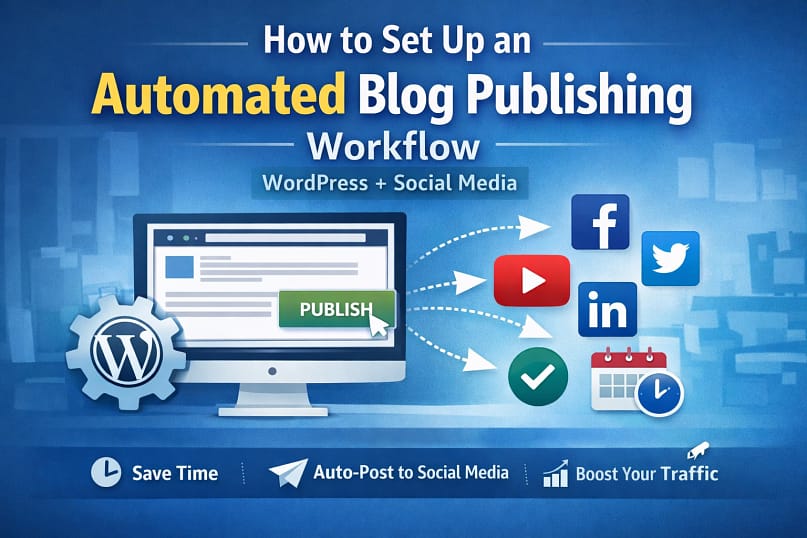
Introduction
I still remember the phase where publishing a single blog post felt like a full-day job.Write the post. Format it. Upload images. Publish. Then manually open Facebook, LinkedIn, Twitter… copy, paste, rewrite captions, add links, repeat.
That’s when I realized I desperately needed automated blog publishing.
Most people don’t quit blogging because they can’t write.They quit because the publishing part drains them.
If you’re tired of manual posting, missed schedules, forgotten social shares, and burnout, this guide is for you. In this article, I’ll show you how I personally set up an automated blog publishing workflow using WordPress and social media — without coding, without stress, and without expensive tools.
By the end, you’ll know exactly how to build a reliable automated blog publishing system that works quietly in the background while you focus on content.
Why Most People Struggle With Automated Blog Publishing
Let me be honest — most failures I’ve seen with automated blogging are not technical.
They’re emotional and practical.
Here’s what usually goes wrong:
- People overcomplicate automated blog publishing with too many tools
- They install random plugins without understanding workflows
- They fear automation will “break” their site
- They expect automation to magically fix bad content
- They quit after one failed attempt
I’ve been there.
I once scheduled 10 posts, forgot to test social sharing, and realized nothing went out for a week. That frustration makes people go back to manual work.
The truth is: Automated blog publishing works only when it’s simple and predictable.
What You Need Before Starting
Before setting up automated blog publishing, let’s keep expectations realistic.
Tools You Need
- A WordPress website (self-hosted)
- One reliable WordPress automation plugin
- Active social media accounts (Facebook, LinkedIn, X, etc.)
Skills Required
- Basic WordPress usage
- No coding
- No technical background
If you can publish a normal WordPress post, you can do automated blog posting.
Beginner Reassurance
You don’t need:
- APIs
- Developers
- Paid automation tools (at least at the start)
This guide focuses on how to automate blog publishing WordPress free, using tools I’ve personally tested.
Also Read:
Power Automate Desktop Excel Automation Without VBA: Step-by-Step Guide for Beginners
Step-by-Step Guide to Automated Blog Publishing (WordPress + Social)
Step 1: Prepare Your WordPress Publishing Basics
Before automation, clean basics matter.
Make sure:
- Your post title is SEO-ready
- Featured image is added
- Categories and tags are selected
- Permalinks are correct
Automation amplifies mistakes. If your post structure is weak, automated blog publishing will only spread that weakness faster.
Step 2: Install a Reliable WordPress Automation Plugin
This is where most beginners panic.
Good news: you don’t need 10 plugins.
One solid WordPress automation plugin can handle:
- Automated blog posting
- WordPress auto post to social media
- Scheduling
Popular options many bloggers use:
Choose one. Install it. Don’t experiment with all at once.
Step 3: Connect Social Media Accounts Properly
This step decides whether your automated blogging works or silently fails.
Take your time here.
- Authorize each platform correctly
- Allow posting permissions
- Test with a dummy post
I always publish one test post before trusting automated blog publishing fully.
If the test fails, fix it now — not after publishing 20 posts.
Step 4: Configure Automated Blog Publishing Rules
This is where automation becomes powerful.
Set rules like:
- Auto-share when a post is published
- Schedule social posts after X minutes
- Customize captions per platform
For example:
- LinkedIn → professional caption
- Facebook → casual tone
- X → short + hashtag
This makes automated blog posting feel human, not robotic.
Step 5: Schedule Posts Like a Human, Not a Machine
One mistake I made early: publishing everything at once.
Bad idea.
Instead:
- Schedule posts realistically
- Maintain consistency
- Use WordPress scheduling wisely
A calm, steady automated blog publishing schedule beats aggressive automation every time.
Real-Life Practical Example (Office & Solo Blogger Scenario)
Let me share a real scenario.
Before Automated Blog Publishing
- Writing: 2 hours
- Publishing: 30 minutes
- Social sharing: 20 minutes
- Total per post: ~3 hours
Stress level: HighConsistency : Poor
After Automated Blog Publishing
- Writing: 2 hours
- Publishing + social: 2 clicks
- Total per post: ~2 hours
Time saved per post: 45–60 minutes
Errors reduced: MassiveStress : Almost zero
For freelancers, job seekers, and office employees, this is the difference between quitting and growing.
That’s the real value of automated blog publishing.
Common Mistakes and How to Fix Them
- Mistake: Blindly trusting automation
Fix: Always test with a sample post - Mistake: Posting same caption everywhere
Fix: Customize per platform - Mistake: Over-automation
Fix: Automate publishing, not engagement - Mistake: Ignoring analytics
Fix: Review which platform performs best
If something breaks, don’t quit.Every automated blogging system improves with small adjustments.
FAQs – Automated Blog Publishing
Is automated blog publishing safe for WordPress?
Yes. When you use a trusted WordPress automation plugin, automated blog publishing is completely safe.
Can I do automated blog publishing for free?
Yes. Many plugins support how to automate blog publishing WordPress free, with basic social sharing included.
Does automated blog posting hurt SEO?
No. Automated blog publishing only automates distribution. SEO depends on your content quality.
Can I auto-post old WordPress posts to social media?
Yes. Most tools support re-sharing old posts using WordPress auto post to social media features.
Is automated blogging suitable for beginners?
Absolutely. Automated blogging actually helps beginners stay consistent without burnout.
Conclusion
If you take only one thing from this guide, let it be this:
Automated blog publishing is not about laziness.It’s about sustainability.
I’ve personally seen blogs die because people couldn’t keep up with manual publishing.And I’ve seen small sites grow simply because automation removed friction.
Start simple.Test once.Then let your automated blog publishing system work quietly for you.
If you found this helpful:
- Bookmark WebPlayX.com
- Explore our guides on WordPress automation and SEO
- Follow WebPlayX for practical, experience-based tutorials




Pingback: Free AI Chatbot: Create a Custom Bot in 6 Steps (No Coding)